Contact Message Management
The Contact Message Management module allows administrators to view, manage, and respond to messages submitted through the Drivo contact or support form.
This system helps maintain communication between platform users and administrators by organizing support inquiries and reply management in one place.
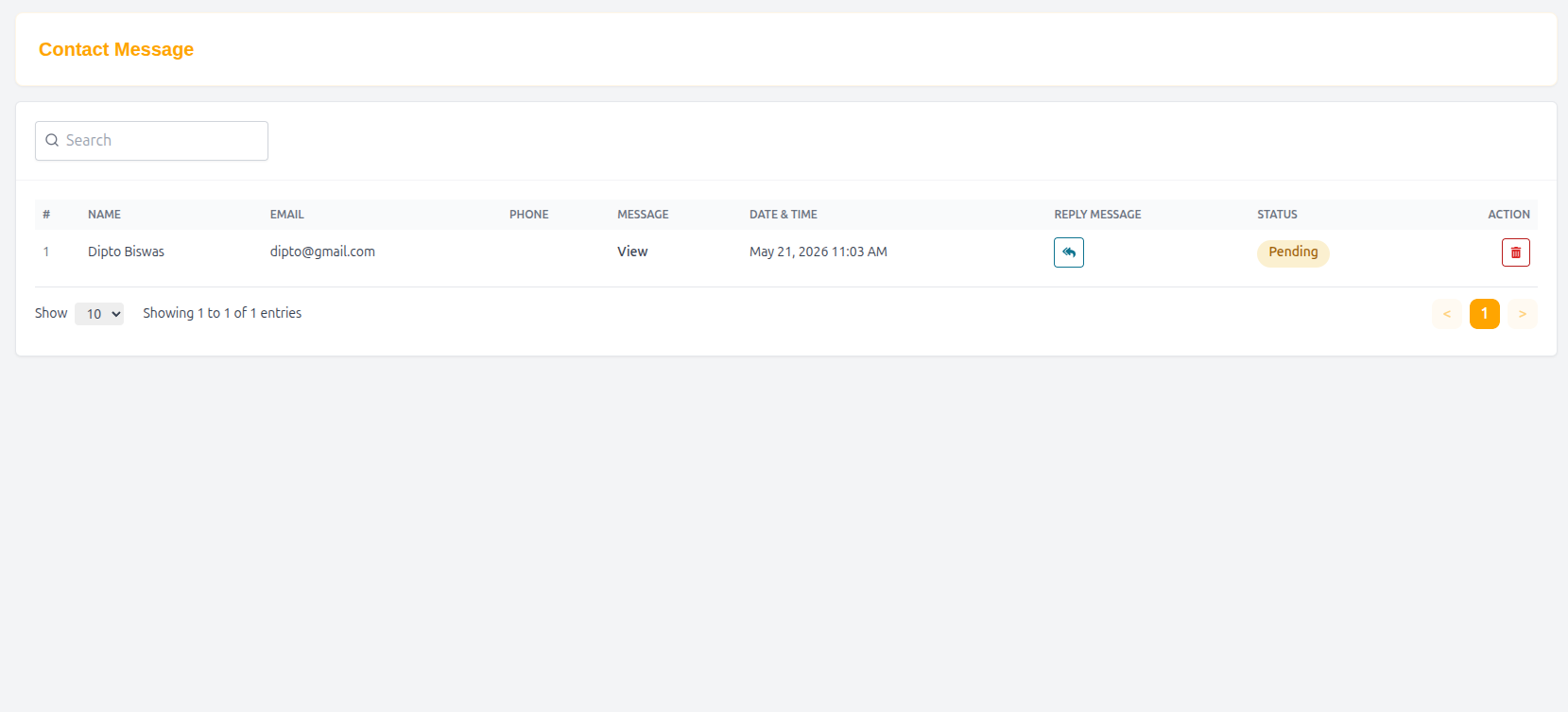
Contact Message List
The Contact Message List displays all submitted contact and support messages in a searchable table format.
Features
- Search contact messages
- View customer inquiries
- Track message status
- Reply directly via email
- Manage support communication efficiently
Table Structure
| Column | Description |
|---|---|
| # | Serial number |
| Name | Sender name |
| Sender email address | |
| Phone | Sender phone number |
| Message | User message preview |
| Date & Time | Submission date and time |
| Reply Message | View or manage reply |
| Status | Current message status |
| Action | View message details |
Example Entry
| # | Name | Date & Time | Status | Action | |
|---|---|---|---|---|---|
| 1 | Dipto Biswas | dipto@gmail.com | May 21, 2026 11:03 AM | Pending | View |
Contact Message Details
The Contact Message Reply page displays complete information about a selected support inquiry.
Contact Information
Details
| Field | Value |
|---|---|
| Date & Time | May 21, 2026 11:03 AM |
| Status | Pending |
| Name | Dipto Biswas |
| dipto@gmail.com | |
| Phone | N/A |
User Message
Message Content
How this app work ??
This section displays the original message submitted by the user.
Send Email Reply
Administrators can respond directly to users through the integrated email reply system.
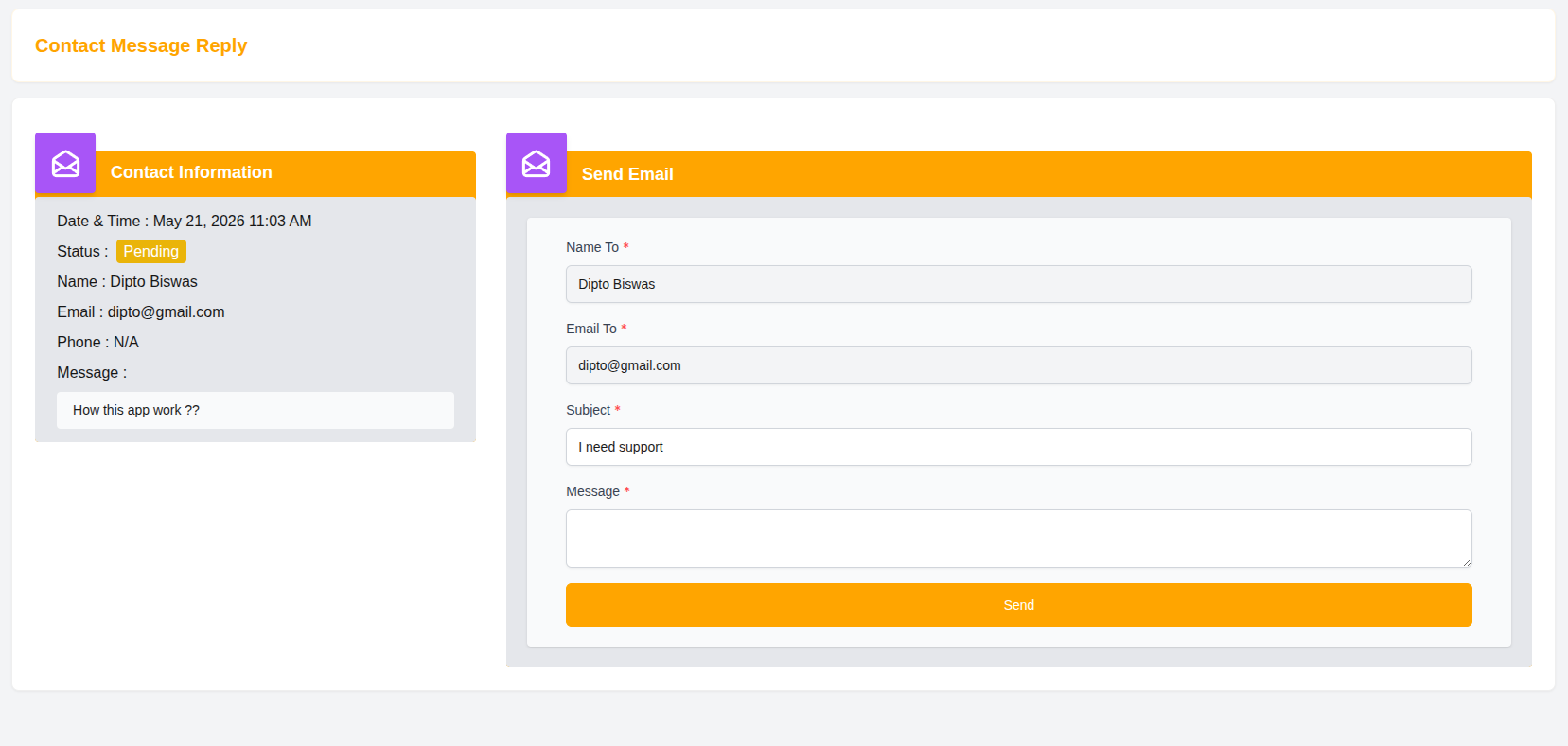
Email Reply Form
Name To
Defines the recipient name.
Example
- Dipto Biswas
Email To
Defines the recipient email address.
Example
Subject
Enter the subject line for the reply email.
Example
- I need support
Message
Enter the response or support message that will be sent to the user.
Send Reply
After writing the response:
- Click Send to deliver the email reply to the user.
Message Status
Administrators can track message processing status.
Available Status Types
- Pending
- Replied
- Closed
Why Contact Message Management Matters
- Improves customer communication
- Centralizes support requests
- Helps track unresolved issues
- Enhances user satisfaction
- Simplifies support workflow
Summary
The Contact Message Management system enables administrators to efficiently handle customer inquiries, track support requests, and communicate directly with users through an organized and user-friendly support management interface.