Language Management
The Language Management module allows administrators to manage multiple languages for the Drivo platform. This enables the application to support international users by providing localized content and translations.
Languages List
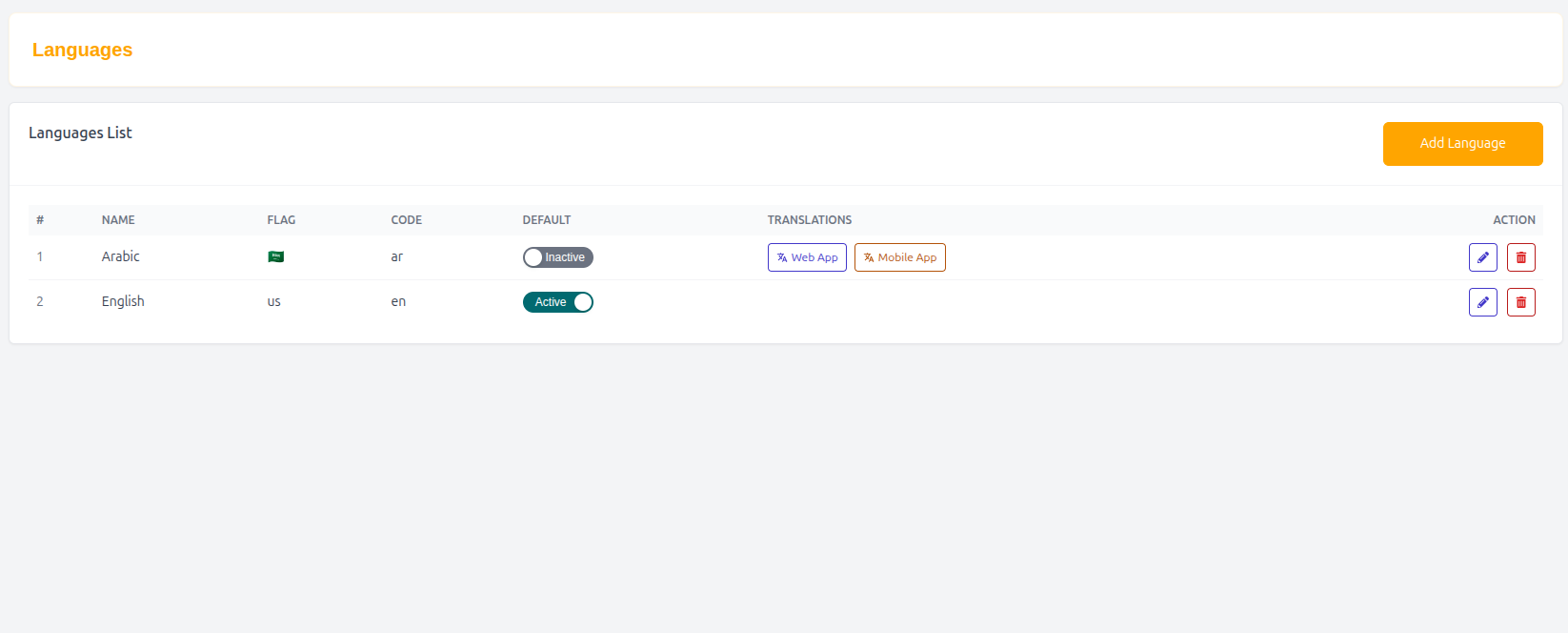
The Languages List page displays all available languages configured in the system.
Features
- Add new languages
- Manage existing languages
- Set default language
- Handle translations for the platform
- Support multilingual user experience
Table Structure
| Column | Description |
|---|---|
| # | Serial number |
| Name | Language name |
| Flag | Country flag icon |
| Code | Language code (e.g., en, bn) |
| Default | Indicates default system language |
| Translations | Manage translation strings |
| Action | Edit or delete language |
Example Entry
| # | Name | Flag | Code | Default | Action |
|---|---|---|---|---|---|
| 1 | English | 🇺🇸 | en | Yes | Edit |
Add Language
Administrators can add new languages to expand platform accessibility.
Language Form
Name
Enter the language name.
Example
- English
- Bangla
- Hindi
- Arabic
Flag
Upload or select a flag icon representing the language.
Code
Enter the language code used in the system.
Example
- en
- bn
- hi
- ar
Default Language
Set whether this language is the default for the platform.
- Yes / No option
Translations
The translation module allows administrators to manage translated content for different languages.
Features
- Add translated text
- Edit existing translations
- Sync UI content across languages
- Improve localization accuracy
Language Actions
Administrators can:
- Edit language details
- Set default language
- Remove unused languages
- Manage translations
Why Language Management Matters
- Expands global reach
- Improves user experience
- Supports multilingual users
- Increases accessibility
- Enhances platform usability
Summary
The Language Management system allows Drivo to support multiple languages efficiently, ensuring a smooth and localized experience for users across different regions.