FAQ Management
The FAQ (Frequently Asked Questions) module allows administrators to manage common user questions and answers for the Drivo platform. This helps users quickly understand how the system works without contacting support.
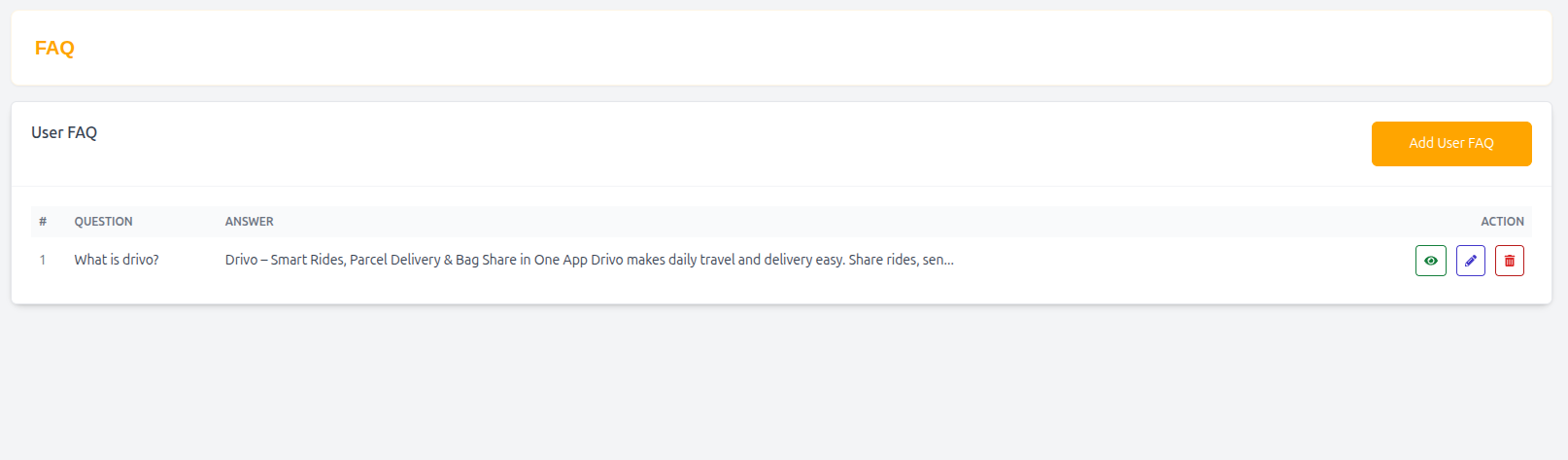
User FAQ
The User FAQ section contains all frequently asked questions displayed in the user-facing application.
Features
- Add new FAQs
- Edit existing questions and answers
- Organize user help content
- Improve customer support efficiency
- Reduce repeated support queries
FAQ List
The FAQ List page displays all stored FAQs in a structured table format.
Table Structure
| Column | Description |
|---|---|
| # | Serial number |
| Question | FAQ question |
| Answer | Detailed response |
| Action | Edit or delete FAQ |
Example Entry
| # | Question | Answer | Action |
|---|---|---|---|
| 1 | What is Drivo? | Drivo is a smart platform for ride sharing, parcel delivery, and bag sharing. It makes daily travel and logistics fast, affordable, and reliable. | Edit |
Add User FAQ
Administrators can create new FAQs to improve user understanding.
FAQ Form
Question
Enter the user question.
Example
- What is Drivo?
Answer
Provide a clear and helpful explanation for the question.
Example
Drivo is a smart mobility platform that combines ride sharing, parcel delivery, and bag sharing in one app.
FAQ Guidelines
- Keep answers simple and clear
- Avoid technical jargon for users
- Focus on common user problems
- Keep responses short but informative
- Update FAQs regularly based on user feedback
Why FAQ Management Matters
- Reduces customer support load
- Improves user experience
- Helps onboard new users quickly
- Provides instant answers to common questions
- Increases platform trust and clarity
Summary
The FAQ Management system helps Drivo provide clear and helpful information to users, improving self-service support and enhancing overall user experience across the platform.