Dashboard Overview
The Drivo Dashboard provides a centralized overview of platform performance, including earnings, users, drivers, trips, deliveries, and recent activities. It helps administrators monitor real-time business operations and make data-driven decisions efficiently.
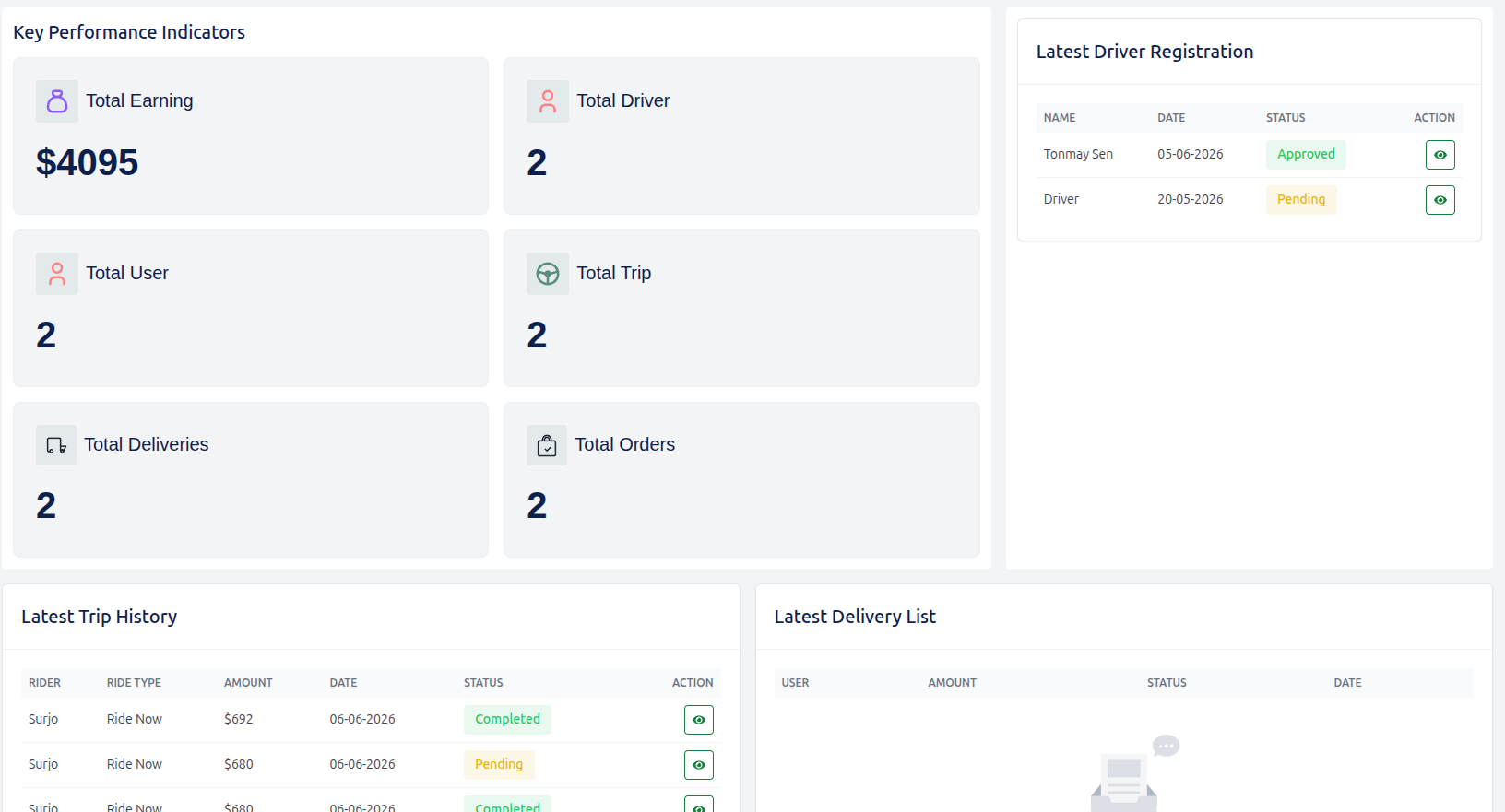
Key Performance Indicators (KPIs)
The KPI section displays the most important metrics of the Drivo platform in a quick summary format.
Overview Metrics
Total Earning
Displays the total revenue generated from all platform activities.
- Value: $0 (Dynamic)
Total Drivers
Shows the total number of registered and active drivers on the platform.
- Value: 0 (Dynamic)
Total Users
Represents the total number of registered users using Drivo services.
- Value: 0 (Dynamic)
Total Trips
Indicates the total number of completed or active ride-sharing trips.
- Value: 0 (Dynamic)
Total Deliveries
Represents the total number of parcel delivery operations completed.
- Value: 0 (Dynamic)
Total Orders
Shows the total number of service orders placed across the platform.
- Value: 0 (Dynamic)
Latest Driver Registration
This section displays recently registered drivers for quick administrative review and approval tracking.
Table Structure
| Field | Description |
|---|---|
| Name | Driver full name |
| Date | Registration date |
| Status | Approval status (Pending / Approved / Rejected) |
| Action | Admin controls (View, Approve, Reject, Delete) |
Latest Trip History
This section shows recent ride-sharing activities performed on the platform.
Table Structure
| Field | Description |
|---|---|
| Rider | Name of the user who booked the ride |
| Ride Type | Type of ride (e.g., Standard, Premium, Shared) |
| Amount | Fare amount for the trip |
| Date | Trip date and time |
| Status | Trip status (Completed / Pending / Cancelled) |
| Action | Admin controls (View details, Manage trip) |
Latest Delivery List
This section tracks the most recent parcel delivery activities.
Table Structure
| Field | Description |
|---|---|
| User | Sender or receiver name |
| Amount | Delivery charge |
| Status | Delivery status (Pending / In Transit / Delivered) |
| Date | Delivery date |
| Action | Admin controls (View, Track, Manage) |
Dashboard Summary
The Drivo Dashboard is designed to provide real-time insights into all major platform operations. It ensures transparency, efficiency, and full control over drivers, users, trips, and deliveries.
With this system, administrators can monitor growth, track performance, and manage operations seamlessly from a single interface.