Employee Management
The Employee Management module allows administrators to create, manage, and monitor internal staff accounts for the Drivo platform.
Employees are responsible for managing operations such as support, users, drivers, vehicles, and other administrative tasks based on assigned roles and permissions.
Employee List
The Employee List page displays all registered employees in a structured and searchable table format.
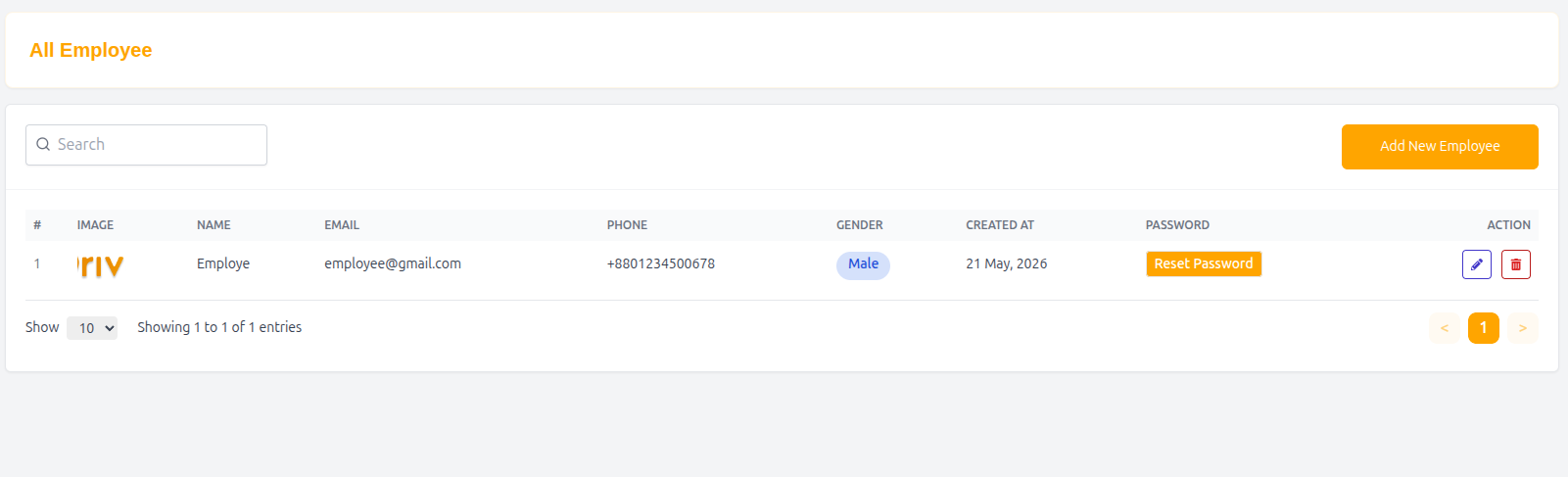
Features
- Search employees by name, email, or phone
- Add new employee accounts
- Reset employee passwords
- Manage employee roles and access
- Monitor staff activity
Table Structure
| Column | Description |
|---|---|
| # | Serial number |
| Image | Employee profile image |
| Name | Full name of employee |
| Employee email address | |
| Phone | Contact number |
| Gender | Employee gender |
| Created At | Account creation date |
| Password | Reset password action |
| Action | View or manage employee |
Example Entry
| # | Image | Name | Phone | Gender | Created At | Password | Action | |
|---|---|---|---|---|---|---|---|---|
| 1 | 👤 | Employe | employee@gmail.com | +8801234500678 | Male | 21 May, 2026 | Reset Password | View |
Add New Employee
Administrators can create new employee accounts with assigned roles and permissions.
Employee Details Form
Basic Information
Name
Enter the full name of the employee.
Email
Enter a valid email address for login access.
Phone
Enter contact number.
- Country: Bangladesh
- Code: +880
Gender
Select employee gender:
- Male
- Female
- Other
Password Setup
Password
Set initial login password for the employee.
Confirm Password
Re-enter password for confirmation.
Employee Role
Assign a role to control system access.
Example Roles
- Admin
- Manager
- Support Agent
- Finance Officer
Profile Image
Upload an employee profile picture.
- Click + Upload to add image
Submit Employee
After filling all required information:
- Click Submit to create the employee account
Password Reset
Administrators can reset employee passwords at any time using the Reset Password option.
Why Employee Management Matters
- Organizes internal staff structure
- Controls system access through roles
- Improves operational efficiency
- Enhances security and accountability
- Supports scalable team management
Summary
The Employee Management system provides full control over internal staff accounts, allowing administrators to assign roles, manage permissions, and ensure secure and efficient platform operations within Drivo.