Email Settings
The Email Settings module allows administrators to configure SMTP and email service providers for the Drivo platform. This system is used for sending system emails such as OTP verification, password reset, notifications, and user communication.
Drivo supports multiple email providers including Gmail SMTP and SendGrid SMTP.
Email Providers
The platform supports multiple email configurations. Administrators can switch between providers or set a default email service.
Supported Providers
- Gmail SMTP
- SendGrid SMTP
SendGrid SMTP Configuration
This section allows configuration of SendGrid or SMTP-based email services.
Fields
Email Host
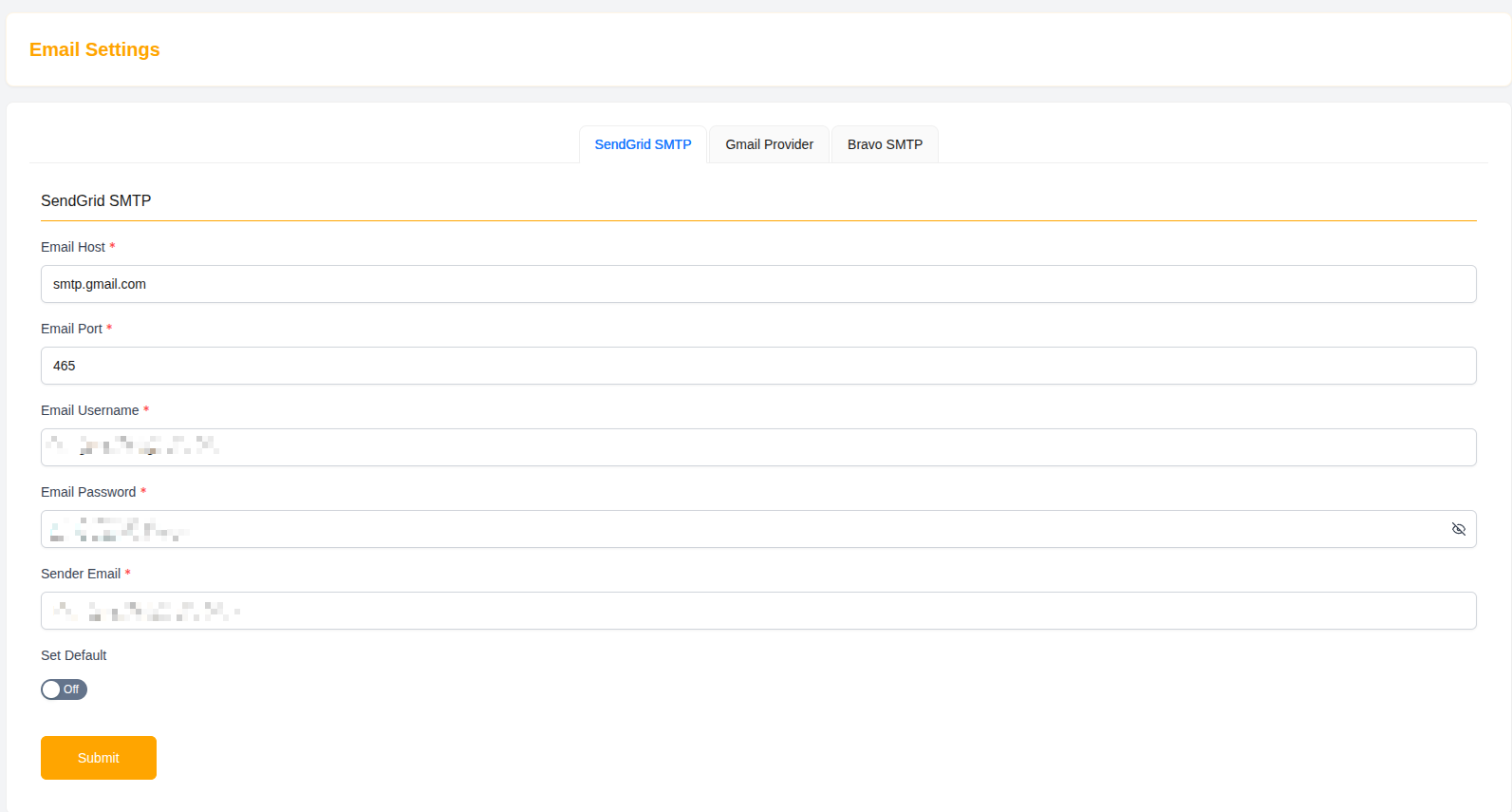
SMTP server address used for sending emails.
- Example:
smtp.gmail.com
Email Port
SMTP port used for secure email transmission.
- Example:
465
Email Username
Email account used for authentication.
- Example:
danigain1234@gmail.com
Email Password
Secure password or app password for SMTP authentication.
- Displayed as encrypted (•••••••••••••••••••)
Sender Email
Defines the email address that appears as the sender.
- Example:
support@drivo.com
Set Default
Allows administrators to set this configuration as the default email provider.
Submit
Click Submit to save SMTP configuration settings.
Gmail SMTP Configuration
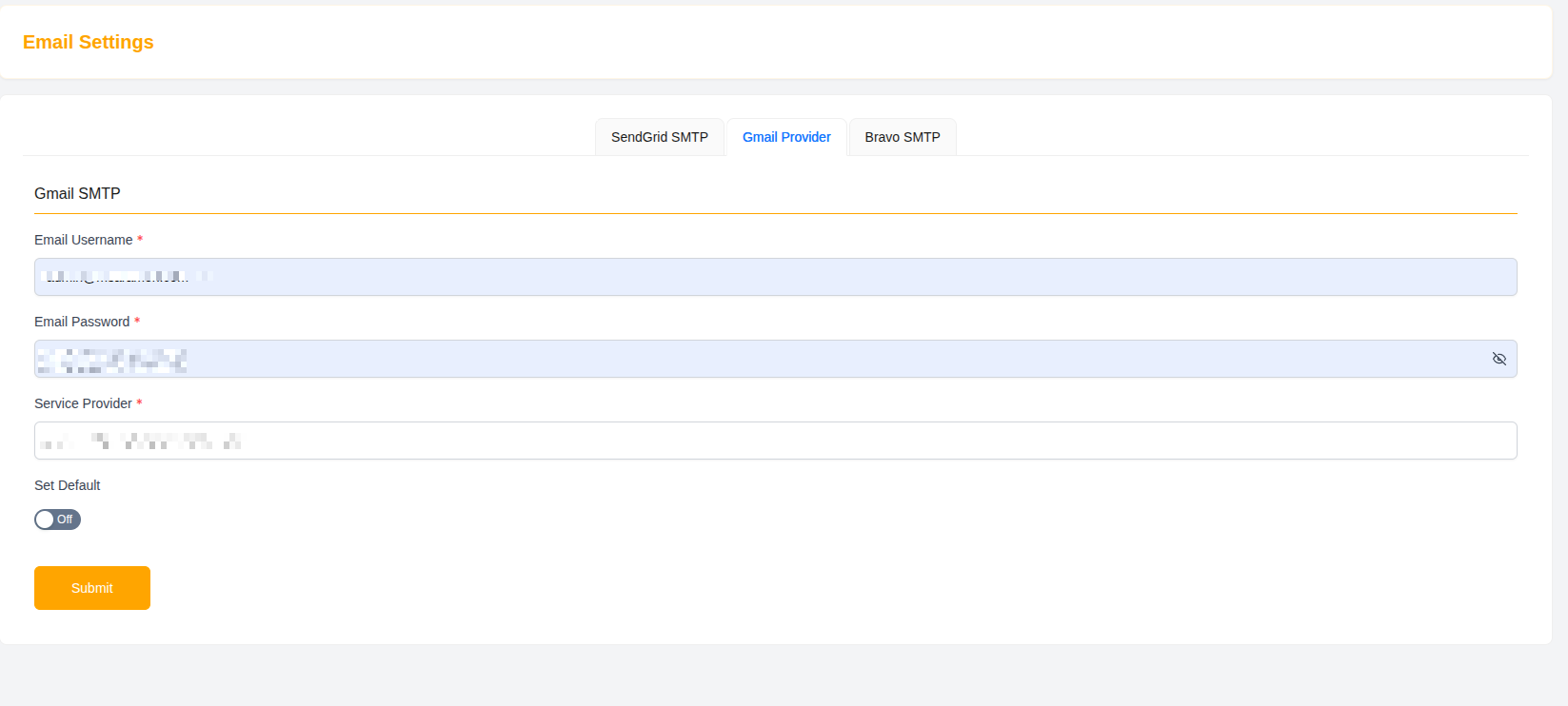
This section allows setup of Gmail-based SMTP services for sending system emails.
Fields
Email Username
Gmail account used for sending emails.
- Example:
appstickltd@gmail.com
Email Password
Gmail app password used for authentication.
- Displayed securely (hidden)
Service Provider
Defines the selected email provider type.
- Example:
gmail
Set Default
Enables this Gmail configuration as the default email service for the system.
Submit
Click Submit to apply Gmail SMTP settings.
Email System Usage
The email system is used for:
- User registration verification (OTP)
- Password reset emails
- Contact form replies
- System notifications
- Promotional emails (if enabled)
Security Notes
- Always use secure SMTP credentials
- Prefer app passwords instead of main passwords
- Do not expose email credentials publicly
- Regularly update email authentication keys
Why Email Settings Matter
- Ensures reliable system communication
- Enables OTP and verification workflows
- Supports user engagement and notifications
- Improves platform trust and professionalism
- Provides flexible email provider management
Summary
The Email Settings module gives administrators full control over email delivery systems in Drivo, ensuring secure, reliable, and configurable communication between the platform and its users.